
Interactive Training Simulator & Pre-Employment Screening · Zero Installs
Stop guessing Excel and Office skills. Prove them live.
Master real Excel formulas, Word, Outlook, File Explorer, and Safe AI inside a live browser desktop to earn verifiable CV certificates — or screen job candidates in 15 minutes with realistic workplace tests.
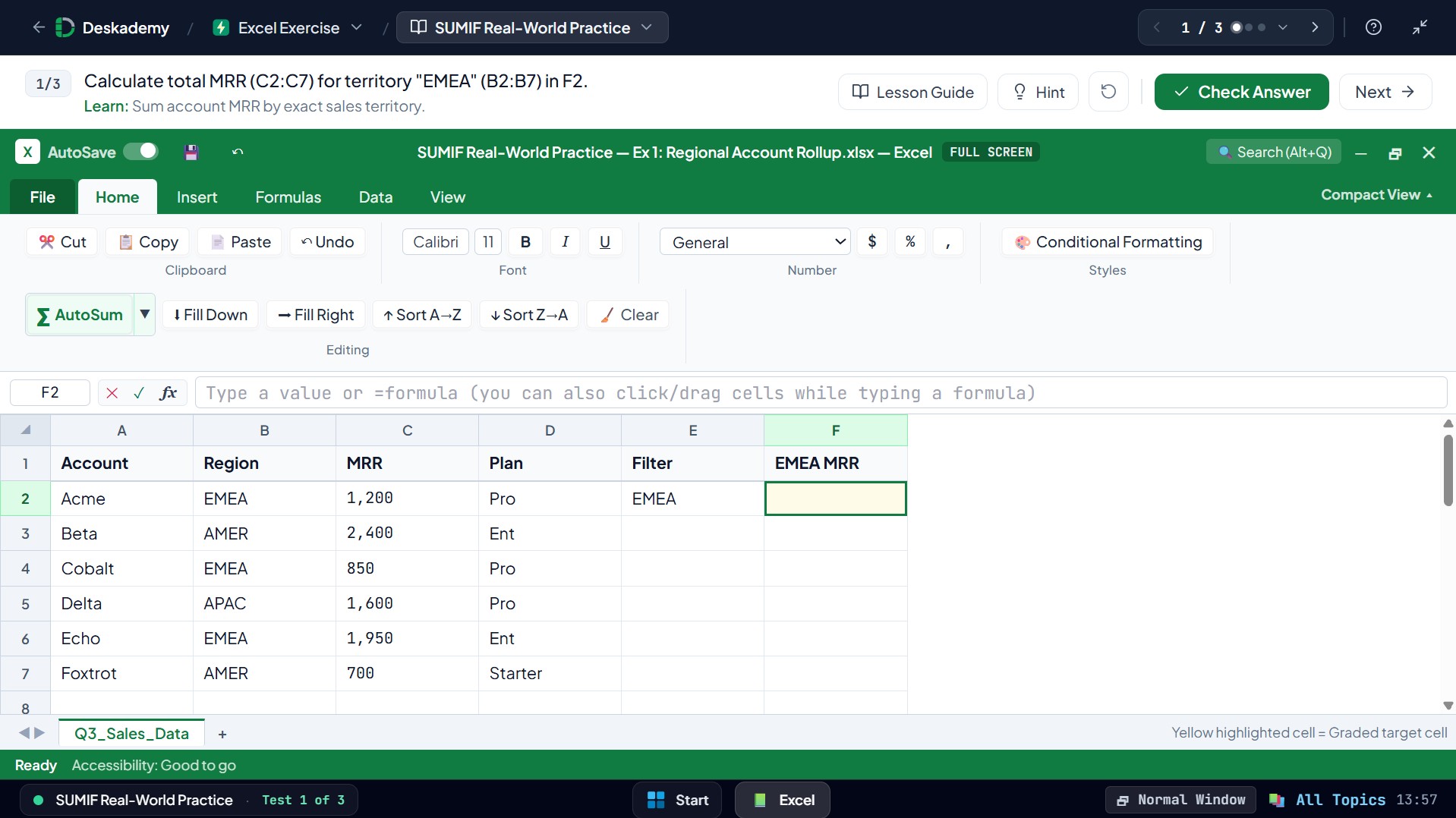
Foundations · Beginner · Par 35s · +150 XP
Multiplication by Cell Coordinate
Calculate the invoice line total in D2 by multiplying Quantity (B2) by Unit Price (C2).
Free · No signup required · Graded live by AST formula check · 1 attempt per day, no hints.
Today's top 3
Full top 10 →-
1 Thabo Mokoena0:21s 1,435
-
2 Amara Mensah0:30s 1,390
-
3 Carlos Mendez0:40s 1,340
Up to 1,000 accuracy pts + 500 speed bonus. Fastest solve breaks ties.
Learn Excel formula by formula with live AST grading
Read each short lesson guide (exact syntax, pro tip, and common mistake) and solve three hands-on spreadsheet tasks directly in the browser.
Spreadsheet Coordinates & Live Formulas
Understand grid addresses, enter dynamic arithmetic with the = sign, and link values dynamically instead of typing static numbers.
Totaling Ranges with the SUM Function
Add contiguous lists, combine multiple ranges inside a single SUM call, and total horizontal rows cleanly.
Instant Totals with AutoSum
Generate SUM formulas in one action using AutoSum (∑) and the classic Alt+= keyboard shortcut.
Built for the work people actually do on Monday morning
One practical browser simulator serving both job seekers proving their skills and hiring teams screening applicants.
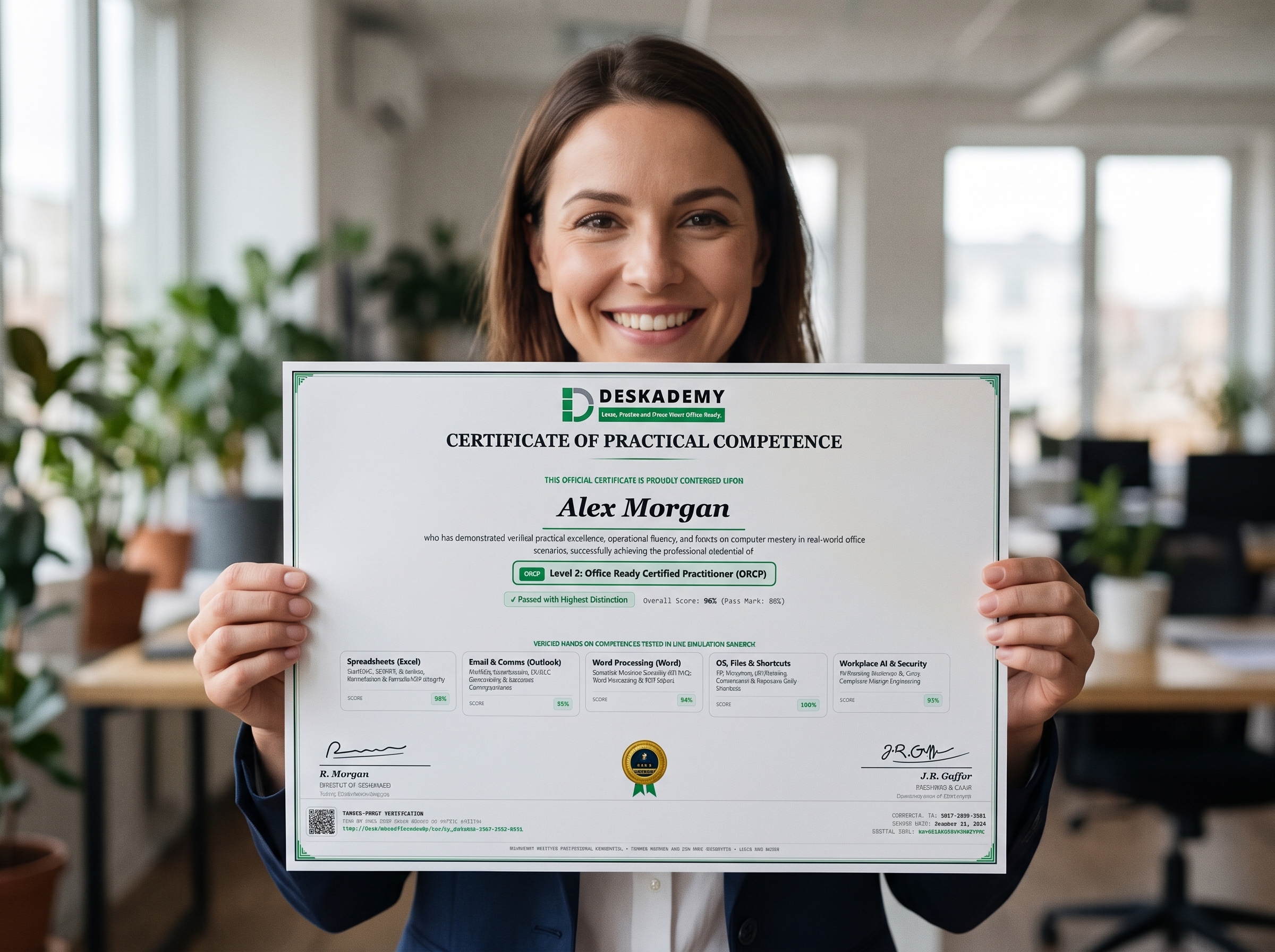
Turn "proficient in Excel" into verifiable proof
Complete live timed tasks across Excel, Word, Outlook, File Explorer, and Safe AI—get instant formula feedback and share a certificate employers verify in one click.
- 100 graded simulations & 50 guided topic drills
- Signed ORA, ORCP, and ORMP CV & LinkedIn certificates
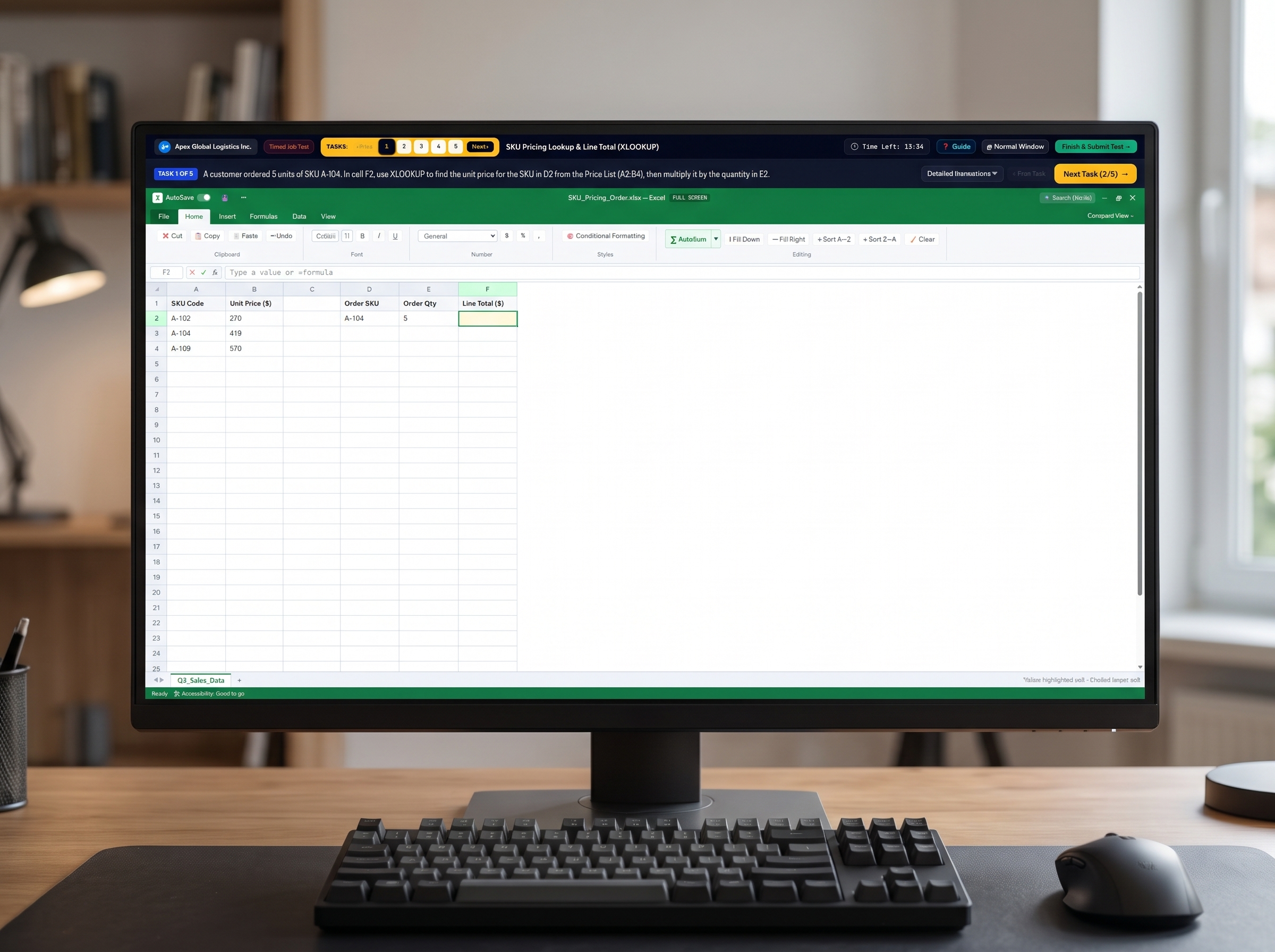
Screen out CV bluffing before the first interview
Send one assessment link. Candidates build formulas, format memos, triage phishing emails, and protect client PII inside a 15-minute browser session.
- AST grading flags hardcoded Excel values automatically
- Webcam-free tab-switch, paste & task timing logs
Start free — upgrade when you certify or scale hiring
Global USD pricing via PayPal or card. Cancel or pause anytime in one click.
1 free simulation + 1 topic drill set per app (Excel, Word, Outlook, Files, AI).
All 100 simulations, 50 skill topics, 91 Excel lessons & verified CV certificates.
Start with 5 free candidate tests. Add 5-packs anytime ($3/test) — credits never expire.
Role presets, custom 100-sim test builder, anti-cheat logs & CSV/PDF scorecards.
Frequently asked questions
Full fact sheet →What is Deskademy?
Deskademy is a browser-based workplace simulator for learning and proving practical office computer skills. Learners practice real tasks in simulated Microsoft Excel, Word, Outlook, Windows File Explorer and a workplace AI assistant, then earn verifiable certificates. Employers use the same simulator to run 15-minute, auto-graded, anti-cheat computer skills tests for job candidates.
What is the best way to test a job candidate's Excel and computer skills?
The most reliable method is a hands-on, timed practical test where the candidate does real work — building formulas, formatting a document, replying to an email — rather than answering multiple-choice questions that can be looked up or pasted into ChatGPT. Deskademy provides exactly this: candidates open a link, complete realistic tasks in a simulated office desktop, and employers get an instant scorecard that checks the actual formulas, recipients, attachments and document structure.
Where can I practice Excel, Word and Outlook online for free without installing Microsoft Office?
Deskademy lets you practice Excel formulas (SUM, IF, SUMIFS, XLOOKUP, INDEX/MATCH and more), Word formatting, Outlook email etiquette and file management directly in your browser with step-by-step hints and instant grading. The Free Starter tier includes one free simulation per app plus free interactive fix-it drills — no Microsoft Office license or installation needed.
How can I prove my Microsoft Office skills on my CV or résumé?
Instead of writing "proficient in Excel", earn a skills certificate based on a practical test and link to it. Deskademy certificates (Level 1 ORA, Level 2 ORCP and Master ORMP) are earned by completing graded simulations, carry a tamper-proof signature and a public verification link, and can be added to LinkedIn in one click so employers can verify them instantly.
Is Deskademy available in my country?
Yes. Deskademy is a global, fully online platform available in every country. It runs in any modern browser, the interface is in English, prices are in US dollars, and payments are accepted through PayPal and major debit and credit cards. Employers can send test links to candidates anywhere in the world.
How much does Deskademy cost?
Learners can start free (one simulation per app). Career Pro costs USD 9 per month and the 6-Month Bootcamp Pass is a one-time USD 49. Employers get 5 free candidate test credits on registration, then can buy 5 credits for USD 15 (credits never expire), the Team Hiring Plan at USD 79 per month for 25 assessments, or the Enterprise & Cohort Plan at USD 249 per month for 150 assessments or training seats.
Complete curriculum & role test catalog
91 Excel lessons, 50 practice topics, 100 simulations, and 15 employer role tests.
50 Interactive Office & Excel Practice Topics (500+ Guided Drills)
Excel formulas, Word formatting, Outlook email etiquette, File Explorer shortcuts & Safe AI
Excel Formulas & Spreadsheets — Select any Excel formula (like XLOOKUP, SUMIFS, IF, or SUM) and master it through 10+ repeated tests.
Open Excel practice →Master fundamental Excel arithmetic (+, -, *, /) across 10 varied business calculations.
Practice linking formulas to exact cell coordinates (B2, C3, D4) across 10 multi-row tables.
Practice counting numeric entries with COUNT and text/non-empty records with COUNTA across 10 datasets.
Build complete fluency totaling columns, rows, and KPI summary boxes using SUM across 10 varied ledgers.
Master finding mean averages, lowest bids (MIN), and highest peaks (MAX) across 10 KPI tables.
Practice testing cell values with >, <, >=, <=, and = to return TRUE or FALSE across 10 scenarios.
Master conditional IF formulas for commissions, reorder alerts, pass/fail gates, and approvals across 10 tests.
Practice conditional counting with single criteria (COUNTIF) and multiple criteria (COUNTIFS) across 10 audits.
Master conditional summing by department, region, and status (plus duplicate removal) across 10 financial tables.
Master XLOOKUP completely with 12 repeated, varied tests covering basic lookups, multi-column skips, quantity multiplication, leftward lookups, and missing-value fallbacks.
Word Formatting & Documents — Select any Word formatting skill (Headings, Tables, Page Breaks, PDF Export) and practice 10+ variations.
Open Word practice →Practice applying proper Heading 1 styles (instead of manual bolding) across 10 business document titles.
Master two-level document hierarchy by styling main titles as Heading 1 and section headers as Heading 2 across 10 documents.
Practice replacing bracketed placeholders ([CLIENT NAME], [AMOUNT], [DATE]) and applying Heading 1 across 10 letters.
Practice inserting clean Page Breaks directly before appendices, escalation matrices, and annexures across 10 SOPs.
Practice centering financial, schedule, and KPI tables using the Table Layout ribbon across 10 business reports.
Master publishing finalized Word documents to read-only PDF format via Backstage view across 10 scenarios.
Complete 10 commercial invoice and proposal formatting drills combining Heading 1, centered tables, figures, and PDF export.
Format 10 executive board memos and standup minutes with Heading 1, Heading 2, verified figures, and PDF export.
Format 10 HR policy handbooks and formal legal notices requiring headings, dates, page breaks, and PDF publishing.
Master all Word skills at once (Heading 1, Heading 2, Table Align, Placeholder Replacement, Page Break, and PDF Export) across 10 board packs.
File Manager & Keyboard Shortcuts — Select any Windows file or shortcut skill (ZIP Extraction, ISO Naming, F2, Ctrl+C/V/Z) for 10+ drills.
Open File Explorer practice →Practice unpacking compressed .zip archives in /Downloads/ across 10 realistic office file batches.
Practice renaming messy files (scan001_v2.pdf) to clean corporate standards using F2 or Rename across 10 tests.
Build instant keyboard muscle memory for Copy (Ctrl+C) and Paste (Ctrl+V) across 10 rapid drills.
Practice the essential 3-shortcut office combo (Ctrl+C, Ctrl+V, Ctrl+Z) across 10 rapid drills.
Practice moving files out of /Downloads/ into their proper department folder across 10 scenarios.
Practice securing sensitive spreadsheets and contracts left on /Desktop/ by renaming and filing them properly across 10 tests.
Master ISO-8601 date naming (YYYY-MM-DD) and department filing across 10 compliance documents.
Combine ZIP extraction, ISO file renaming, and folder organization across 10 finance and audit archives.
Practice end-to-end HR & Legal document version cleanup plus keyboard shortcut verification across 10 tests.
Master the complete Windows 11 file workflow: unpack ZIP, rename to ISO standard, move to department folder, and complete Ctrl+C/V/Z across 10 tests.
Workplace AI & Privacy Redaction — Select any AI prompting & GDPR/CCPA redaction topic and complete 10+ repeated safety tests.
Open Workplace AI practice →Master the four core elements of professional prompting (Role, Context, Task, and Constraints) and turn unstructured operational notes into 3 concise action bullets.
Transform messy meeting logs and management transcripts into unambiguous executive action lists with specific owners, deliverables, and timelines.
Protect candidate and employee privacy by detecting and masking 13-digit National IDs and SSNs with [REDACTED] before submitting prompts to external AI models.
Enforce corporate financial governance by scrubbing sensitive treasury accounts, routing numbers, and supplier bank details into [REDACTED] tokens before requesting AI analysis.
Maintain strict PCI-DSS compliance in customer support tickets by stripping 16-digit debit/credit card numbers into [REDACTED] tokens before synthesizing escalations.
Safeguard company IT infrastructure by wiping root passwords, database credentials, and secret API keys from diagnostic logs before drafting incident reports.
Practice GDPR and POPIA-compliant HR workflows by purging medical records, national identity numbers, and candidate salary details before synthesizing hiring committee scorecards.
Cleanse internal network topology, firewall admin credentials, and server tokens from troubleshooting transcripts before asking AI to generate step-by-step SOP checklists.
Synthesize complex vendor contracts, procurement disputes, and EBITDA performance notes into board-level summaries while masking confidential director sureties and payment accounts.
Prove comprehensive enterprise infosec mastery by identifying and neutralizing multiple concurrent PII risks (passwords, bank accounts, and national IDs) across high-stakes RFP security audits.
Outlook Email & Inbox Defense — Select Phishing Defense, CC Etiquette, Safe PDF Attachments, or Executive Replies for 10+ repeated drills.
Open Outlook practice →Train your eye across 10 inbox scenarios to spot spoofed domains, fake invoices, and CEO gift-card scams and click Report Phishing.
Practice replying to the right primary contact in To while copying the requested manager or director in CC across 10 emails.
Practice attaching the official read-only PDF while protecting raw internal spreadsheets and password files across 10 replies.
Practice writing clear, professional replies confirming exact audited dollar figures, ticket IDs, and tracking numbers across 10 tests.
Practice confirming rescheduled board meetings, client calls, and handovers with stakeholders CC'd across 10 scenarios.
Practice following up on overdue accounts by attaching PDF statements and copying Credit Control across 10 billing scenarios.
Combine reporting credential-harvesting phishing emails with replying to genuine IT & Security advisories across 10 tests.
Practice de-escalating urgent client shipment and SLA queries with revised PDF schedules and leadership CC'd across 10 tests.
Intercept fake supplier bank-change scams and send official claim/clearance PDFs with CC across 10 procurement scenarios.
Master all Outlook skills together: spot & report phishing, reply to leadership, CC the right director, attach the signed PDF, and state the audited figure across 10 tests.
100 Graded Workplace Simulations & Certifications (ORA, ORCP, ORMP)
Timed, auto-graded Excel, Word, Outlook, Files, AI, and Connected Day-1 missions
Pre-Employment Skills Tests by Job Role & Excel Fix-It Guides
15 role-specific hiring assessments + 12 interactive troubleshooting guides
Role-Specific Pre-Employment Skills Tests
Test job candidates' real Excel skills in a live spreadsheet: XLOOKUP, SUMIFS, IF, lookups, data cleaning and error fixing. Formula-level grading, anti-cheat, 5 free tests.
Practice for an Excel assessment in a real browser spreadsheet. Free Excel practice test with hints and instant grading: SUM, IF, SUMIFS, XLOOKUP, INDEX MATCH. No Excel install.
Assess candidates' Microsoft Word skills with hands-on tasks: heading styles, tables, letters, minutes, page breaks and PDF export. Auto-graded document structure. Try 5 tests free.
Test business email skills in a simulated Outlook inbox: To vs CC vs BCC, attachments, tone, meeting requests and phishing or invoice-fraud detection. AI-graded tone. 5 free tests.
A practical basic computer skills test for job applicants: file management, folder organization, zip extraction, naming standards, keyboard shortcuts, email and spreadsheets. Browser-based.
One practical MS Office skills assessment covering Excel, Word, Outlook, file management and workplace AI, including connected "Day 1 in the Office" scenarios. Instant scorecards.
Test whether staff and candidates use AI assistants like ChatGPT and Copilot productively and safely: summarising, drafting, and redacting personal data before prompting.
Pre-employment test for administrative assistants: email triage, scheduling, document formatting, filing and spreadsheets in a live office simulator. Ready-made template, 5 free tests.
Test receptionist candidates on the computer tasks they'll actually do: managing email, rescheduling meetings, spotting phishing, filing documents and simple spreadsheets.
Practical data entry test for clerks and operators: cleaning messy data, removing duplicates, standardizing IDs, lookups and totals in a live spreadsheet. Auto-graded, anti-cheat.
Assess bookkeepers, accounts clerks and finance assistants on ledgers, SUMIFS, VAT rounding, IFERROR, invoice chasing and supplier bank-change fraud in a live simulator.
Test customer service candidates on written de-escalation, SLA email recovery, CSAT and SLA spreadsheets and safe AI use with card-number redaction. Live, auto-graded simulations.
Advanced practical test for executive and personal assistants: board packs, executive memos, calendar conflicts, CEO-fraud defence, confidential documents and AI briefings.
Practical office manager assessment: procurement bids, purchase orders, HR policies, payroll filing, safety notices and multi-app month-end workflows in a live simulator.
Hire remote virtual assistants with confidence. A browser-based test of email, scheduling, documents, spreadsheets, file management and safe AI use. Works in any country.
45-Second Interactive Excel, Word & Office Fix-It Guides
Excel Exercise: All 91 Guided Lessons & 273 Simulator Tasks
16-module curriculum from coordinates & SUM to XLOOKUP, FILTER, PivotTables & shortcuts
Getting Started in Excel (1 lesson · 3 exercises)
Filter module →SUM & Conditional Totals (10 lessons · 30 exercises)
Filter module →COUNT Family Mastery (7 lessons · 21 exercises)
Filter module →Logical Decisions & Error Guards (7 lessons · 21 exercises)
Filter module →Modern & Classic Lookups (10 lessons · 30 exercises)
Filter module →INDEX & MATCH Precision (6 lessons · 18 exercises)
Filter module →Text Parsing & Search (7 lessons · 21 exercises)
Filter module →Text Cleanup & Formatting (4 lessons · 12 exercises)
Filter module →Statistical & Rounding Functions (7 lessons · 21 exercises)
Filter module →Dates, Timelines & Tenures (5 lessons · 15 exercises)
Filter module →Filters & PivotTable Summaries (4 lessons · 12 exercises)
Filter module →Dynamic Array Formulas (2 lessons · 6 exercises)
Filter module →Worksheets & Conditional Formatting (2 lessons · 6 exercises)
Filter module →Speed & Formatting Shortcuts (6 lessons · 18 exercises)
Filter module →Rapid Range & Table Selection (7 lessons · 21 exercises)
Filter module →Real-World Case Projects & Exam Prep (6 lessons · 18 exercises)
Filter module →Ready to prove workplace computer skills?
Join learners mastering Excel, Word, and Workplace AI, or screen job candidates in 15 minutes.
Practice free in live browser simulators
Solve real Excel formulas, Word reports, Outlook emails, and Workplace AI drills. Get instant automated feedback and earn verifiable CV certificates.
- Zero installs — runs directly in your browser
- Over 50 free hands-on practice drills included
- Cryptographically verifiable credentials for LinkedIn & CV
Screen job applicants with live workplace tasks
Watch candidates do the actual work in 15 minutes. Realistic tests for Admin Assistants, Finance Clerks, Data Entry, and Receptionists.
- 5 free candidate test credits — no credit card needed
- Anti-cheat telemetry with instant auto-graded scorecards
- Ready-to-use role templates or custom assessments
Are you an Excel creator, career coach, or educator? Join our Partner Program & estimate recurring payouts on our dedicated calculator →