
100 graded simulations · 50 guided drills · Browser-based
Stop watching 10-hour videos. Practice real office work in your browser.
Master live Excel formulas, Word formatting, Outlook triage, File Explorer, and Safe AI inside a simulated desktop—and earn verified certificates for your CV.
How it works
From rusty to Day-1 ready in three practical steps.
Launch straight in your browser
No software downloads, Microsoft 365 licenses, or setup required. Every simulated app runs directly in your browser tab.
Practice real work with live grading
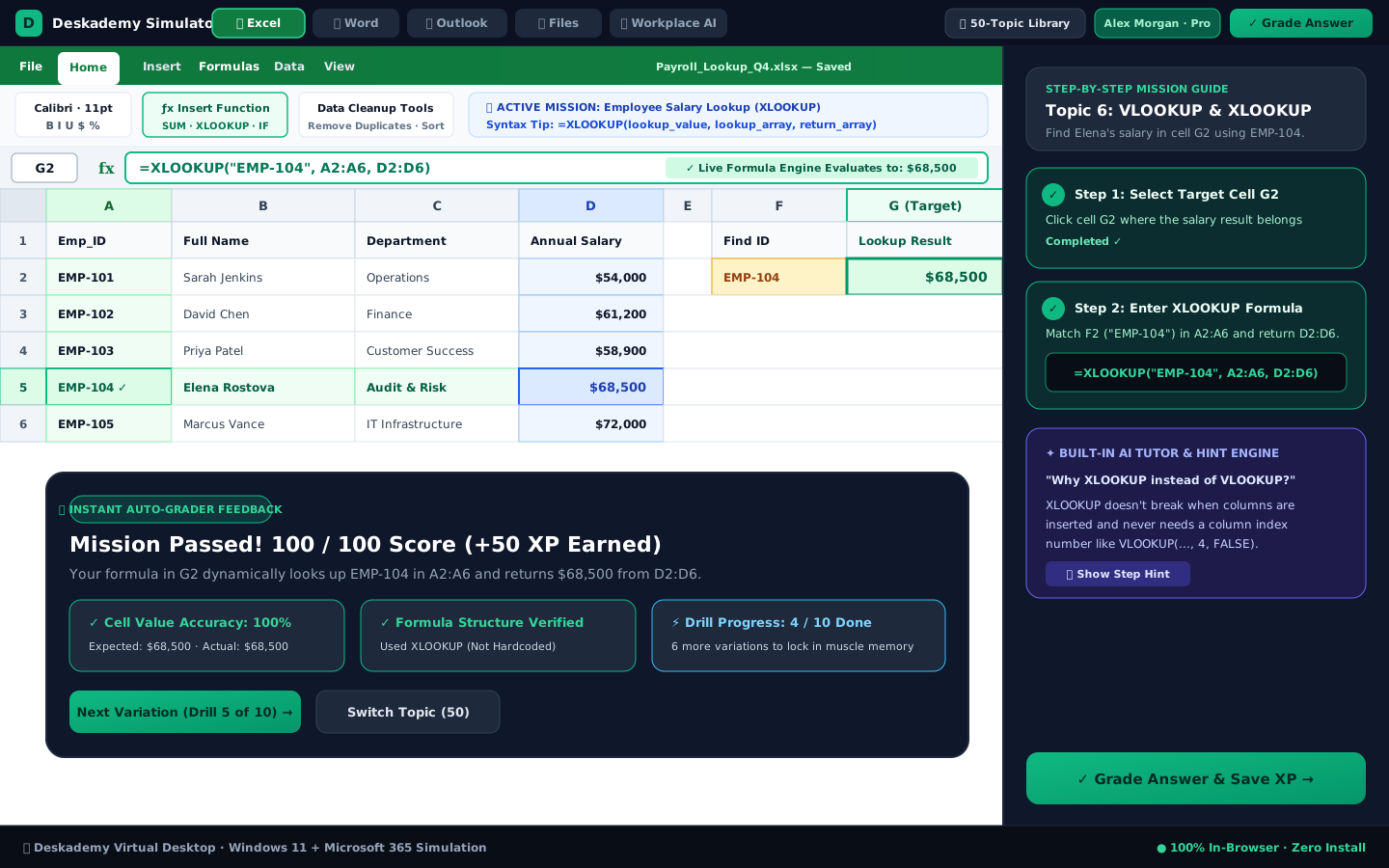
Write actual SUM, IF, and XLOOKUP formulas, format memos, triage Outlook threads, and redact PII safely.
Share your verified proof
Earn cryptographically signed ORA, ORCP, and ORMP certificates with a public verification link for your CV and LinkedIn.
What's included
Four practical skill tracks plus transparent learner plans.
Excel & Spreadsheet Confidence
Move from cell arithmetic and messy data cleanup to XLOOKUP pricing checks, PivotTables, and timed reporting.
Office & Admin Speed
Master Outlook inbox prioritization and phishing defense, Word heading hierarchy and PDF exports, and ISO file organization.
Workplace AI & Data Safety
Hands-on prompt practice for daily office tasks paired with PII redaction checks so confidential client details stay protected.
"Day 1 in the Office" Routine
Put everything together in a realistic 15-minute morning workflow spanning Email, Files, Excel, and Word at the same time.

Turn completed exercises into employer-verifiable credentials
Every passed tier unlocks a permanent SHA-256 signed certificate and LinkedIn verification link so hiring managers see real formula and workflow scores—not generic course attendance badges.
- 1 free interactive simulation per app (5 total)
- 6 Free Starter Excel Exercise lessons (18 exercises)
- Instant formula syntax & execution feedback
- All 91 Excel Exercise lessons (273 exercises) & 50 topic drills
- All 100 graded workplace simulations & Day-1 workflows
- Verified CV & LinkedIn certificates (ORA, ORCP, ORMP)
Frequently asked questions
Hiring for a team? Switch to Employer Testing →Do I need Microsoft Office installed on my computer?
No. Everything runs in Chrome, Edge, Firefox, or Safari with zero downloads or Microsoft 365 licenses needed.
How do Deskademy certificates work on my CV and LinkedIn?
Each certificate (ORA, ORCP, ORMP) includes a cryptographic signature and public verification link employers can check in one click.
Can I practice for free before paying?
Yes. Free Starter gives you 1 simulation per app plus 6 guided Excel Exercise lessons (18 exercises) with no card required.